
Make
Step 1
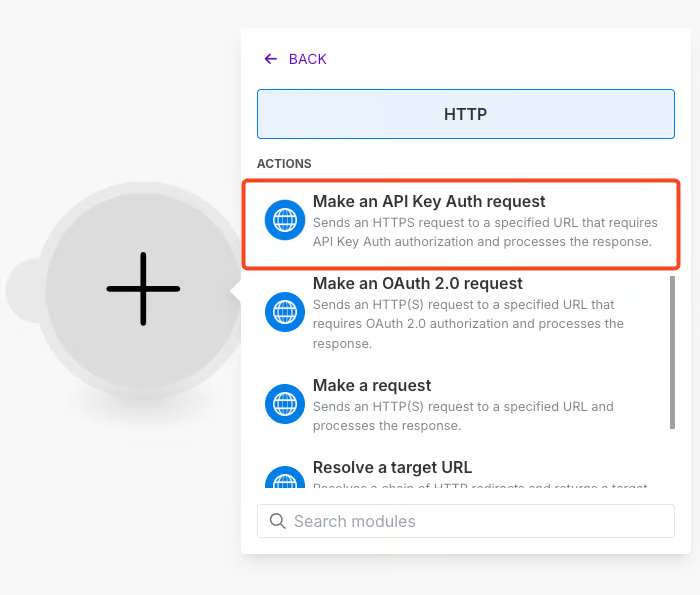
Add the HTTP module > Make an API Key Auth request
Step 2
Add new credentials
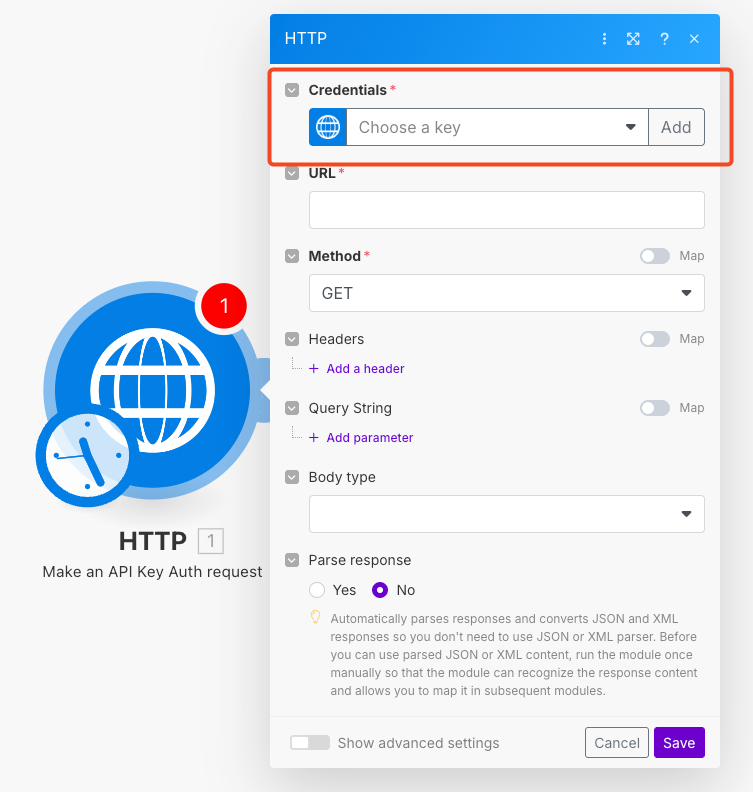
First you need to get your API key inside the LeadBoxer App from integrations > data
https://app.leadboxer.com/integrations-connectors/data/api-key
Give the key a name, paste the LeadBoxer API key, set the placement to 'in the header' and the parameter name to x-api-key
Step 3
in the HTTP module settings:
select the new API key in the credentials.
use the endpoint of choice, see the api reference to learn more
Body type: Raw
Content type: JSON
Parse response: yes
save
step 4
You can now add other modules to your scenario and access data from LeadBoxer, you can see the data under the 'ResultsList
Here is an example using Slack, adding identified companies to a slack channel
Make sure to use the fields that start with organization*
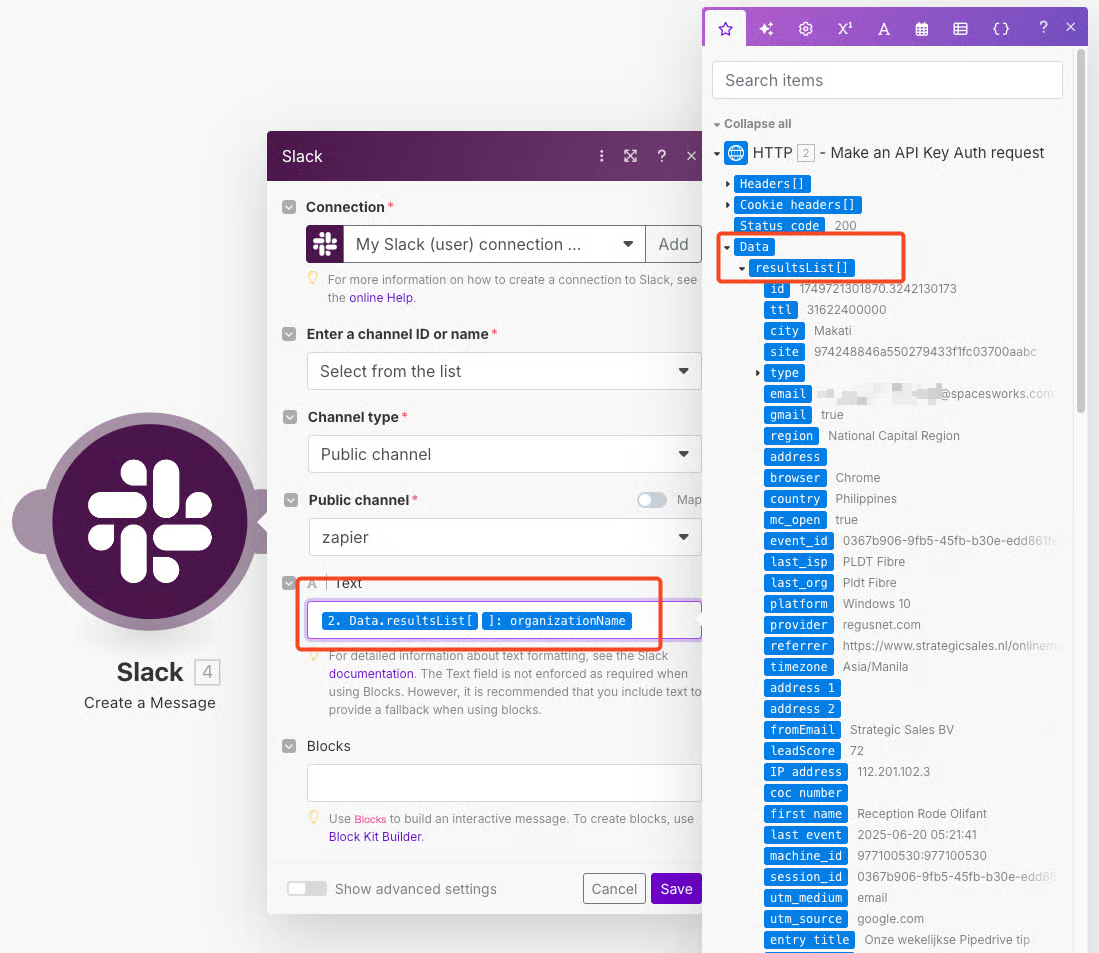
Make sure to use the fields that start with organization*
Updated 6 months ago